
How to request your affiliate payment
Affiliate SystemUpdated Jan 28, 20252 min read
If you’re ready to withdraw your affiliate earnings, it’s easy to request a payment through your HumanDesign.ai account. Follow the steps below to complete the process:
Steps to Request Your Affiliate Payment
- Log in to your account: Visit the Referrals Dashboard.
- Go to the “Request Payment” button: Once you’re on the Referrals page, locate and click the “Request Payment” button in the top right corner.
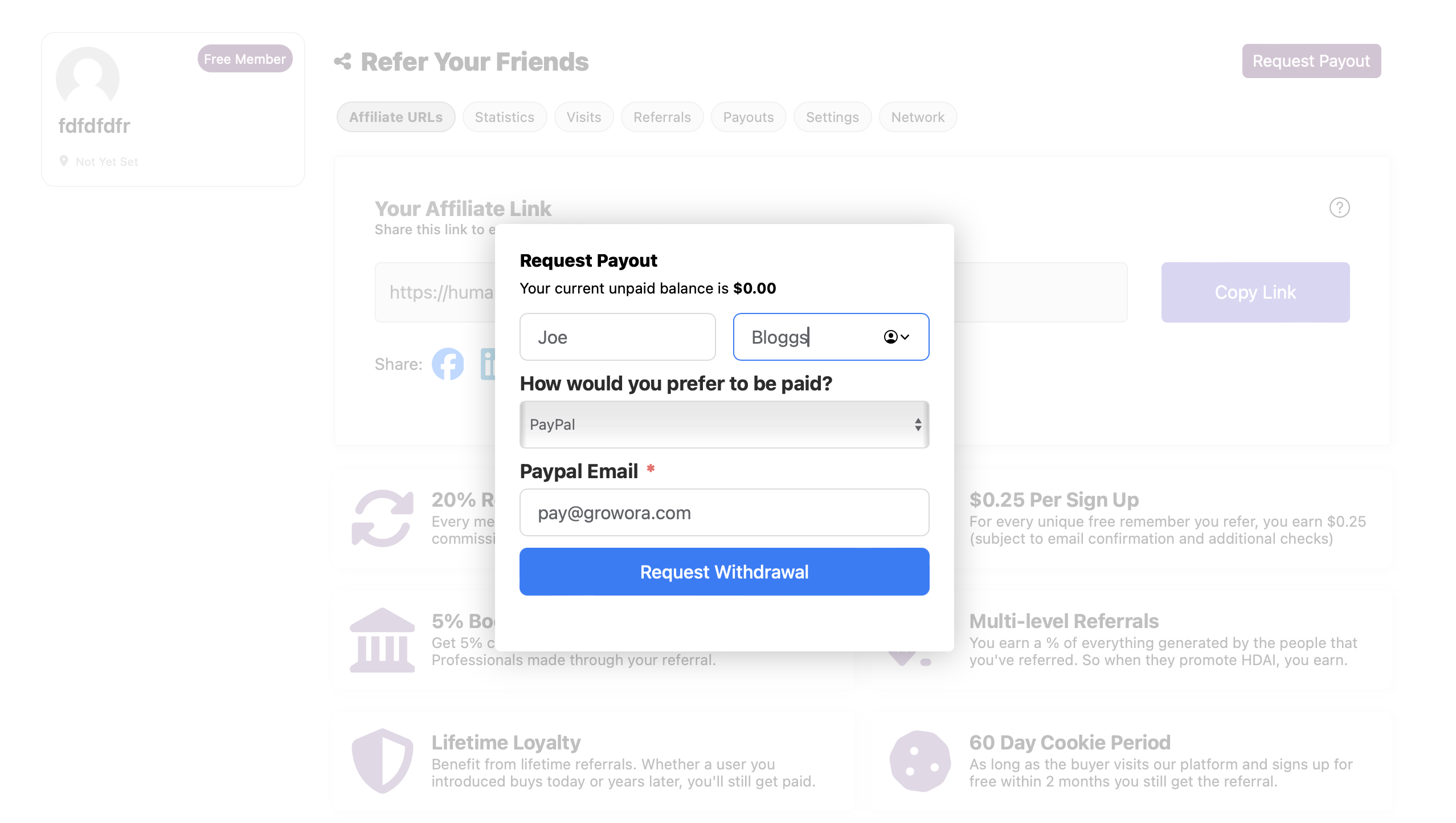
- Fill out the payment request form: A form will appear (see example below). Enter the required details:
- Your full name.
- Your preferred payment method (PayPal or Bank Transfer).
- Payment details, such as your PayPal email or bank information.
- Submit your request: Once you’ve completed the form, click the “Request Withdrawal” button to submit your payment request.
Payment Methods
You can choose between the following payment methods:
- PayPal: Provide your PayPal email address for quick and easy payments.
- Bank Transfer: Enter your bank details, including the IBAN, SWIFT/BIC code, and account holder name and address, if applicable.
Example: Request Payment Form
Here’s an example of what the payment request form looks like:
Important Notes
- Payment Threshold: Ensure you’ve met the minimum payout threshold before submitting a request.
- Processing Time: Payments are typically processed within 7 business days after your request is approved.
- Accurate Details: Double-check your payment information to avoid delays.
Need Help?
If you encounter any issues or have questions about your affiliate payment, feel free to reach out to our support team at support@humandesign.ai.