
Website Builder
Talk your practice into existence.
Describe your Human Design practice in plain words and Builder designs a premium, on-brand site, a live chart calculator, paid reports, bookings and AI chat, all wired to your HDAI account. Edit the whole thing by chatting, then publish to your own domain.
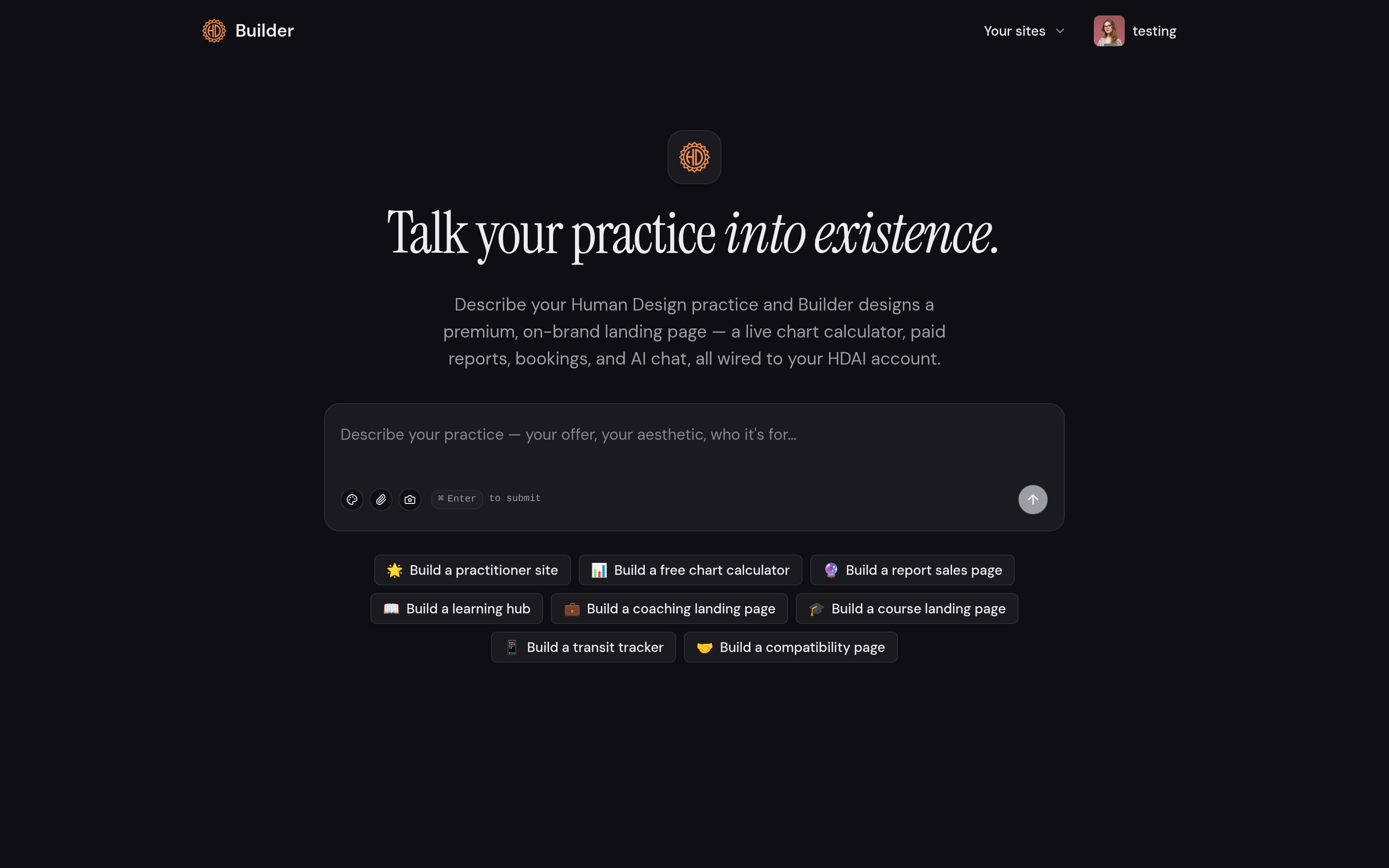
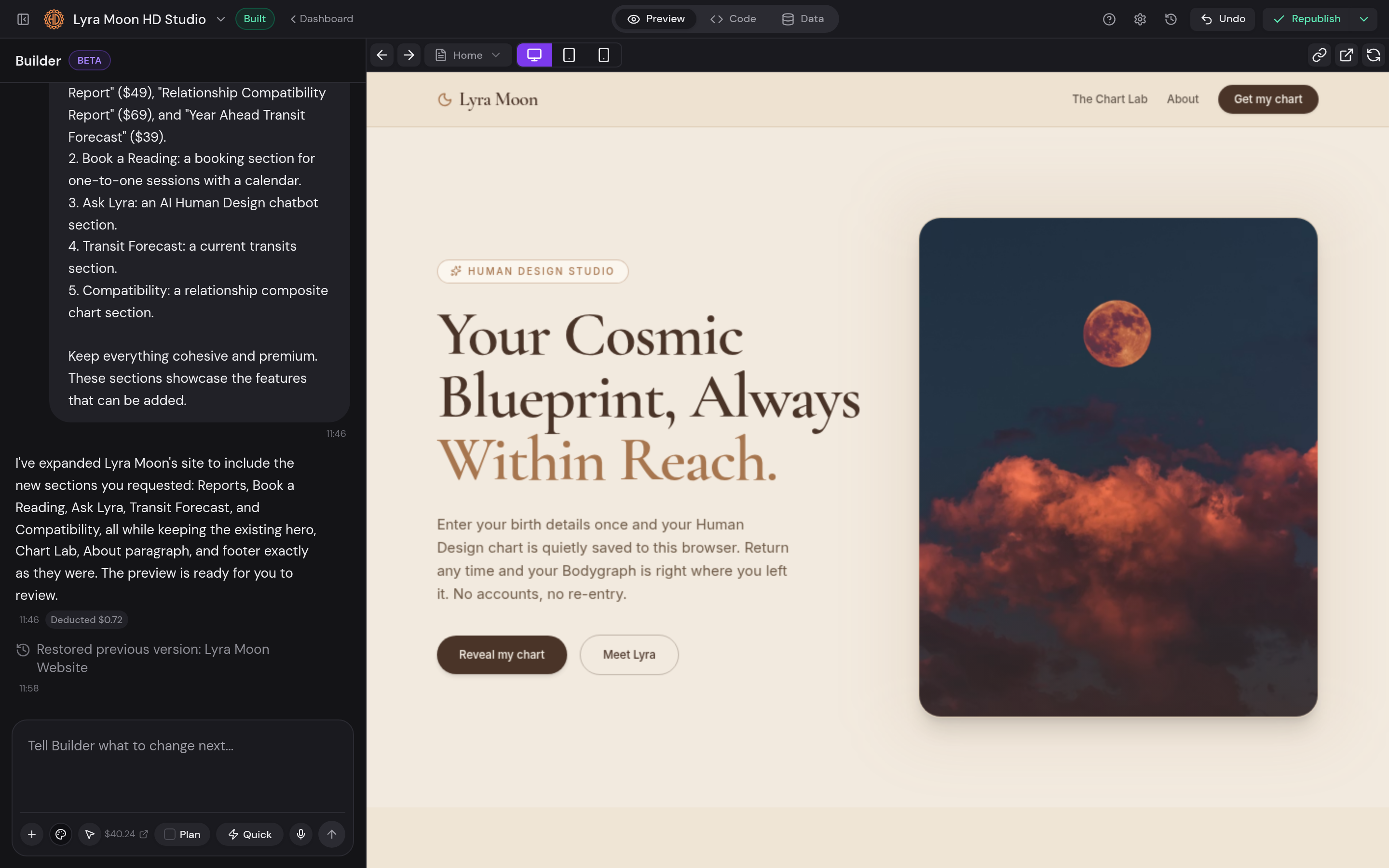
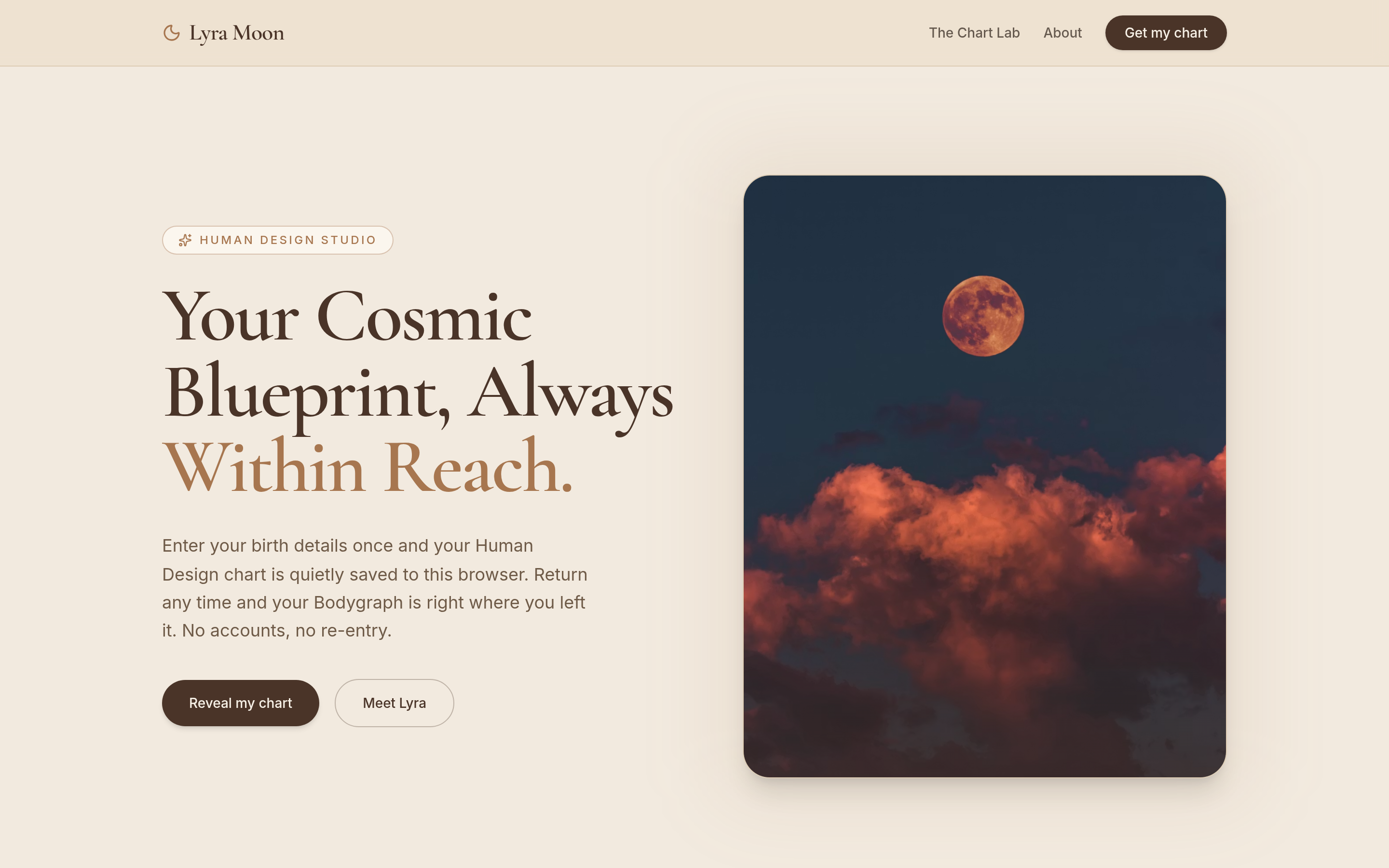
A real practice site, not a link-in-bio
Most practitioners get stuck choosing a template, wiring up payments, and hoping it looks professional. Builder skips all of that: describe your practice in a sentence or two and it generates a complete multi-page site, home, about, offers, booking, already styled and already connected to your HumanDesign.ai account.
Everything is wired up on day one
The site ships with a live bodygraph calculator, tiered paid reports, a booking calendar and a Human Design aware chatbot, all pulling from the same tools you use inside the Business Hub. No plugins, no integrations to configure, no separate checkout to set up.
Edit by chatting, publish to your domain
Change the copy, swap a section, adjust the colors, just say what you want and watch it update in a live preview. When it looks right, publish to your own custom domain in a click.
How it works
Describe your practice
One short description is enough for Builder to design your first draft.
Refine by chatting
Ask for changes in plain words; the live preview updates as you go.
Connect your tools
Reports, bookings, chat and charts are wired to your account automatically.
Publish your domain
Point your custom domain and go live in a click.
What you get
- A real multi-page site generated from a single description
- Bodygraph chart calculator, tiered report offers and booking calendar built in
- A Human Design aware chatbot in your voice
- Edit by chatting, no drag-and-drop fiddling
- Publish to your own custom domain
Common questions
Do I need to know how to build websites?▾
No. If you can describe your practice, Builder can design and edit the whole site for you, there is no drag-and-drop or code to learn.
Can I use my own domain?▾
Yes. Publish to any custom domain you own; the site stays connected to your HumanDesign.ai tools.
Are payments and bookings really built in?▾
Yes, the generated site includes paid reports, offerings and a booking calendar out of the box, all running through your account.