
How to suggest a new feature..
Human Design BasicsUpdated Jan 26, 20252 min read
We value your feedback and ideas! If you’d like to suggest a new feature or vote for existing ones, you can do so on our Roadmap Page. Here’s how:
Step 1: Visit the Roadmap Page
Go to the roadmap page: https://my.humandesign.ai/roadmap/#/33/.
On this page, you’ll find a list of features categorized by their development status:
- Planned: Features scheduled for development.
- In Progress: Features currently being worked on.
- Completed: Features that have been implemented.
Step 2: Vote for Features
If you see a feature you’re interested in, click the vote button to express your support. The more votes a feature has, the more likely it is to be prioritized!
Step 3: Submit a New Feature Request
If you don’t see your idea listed, you can submit a new feature request by following these steps:
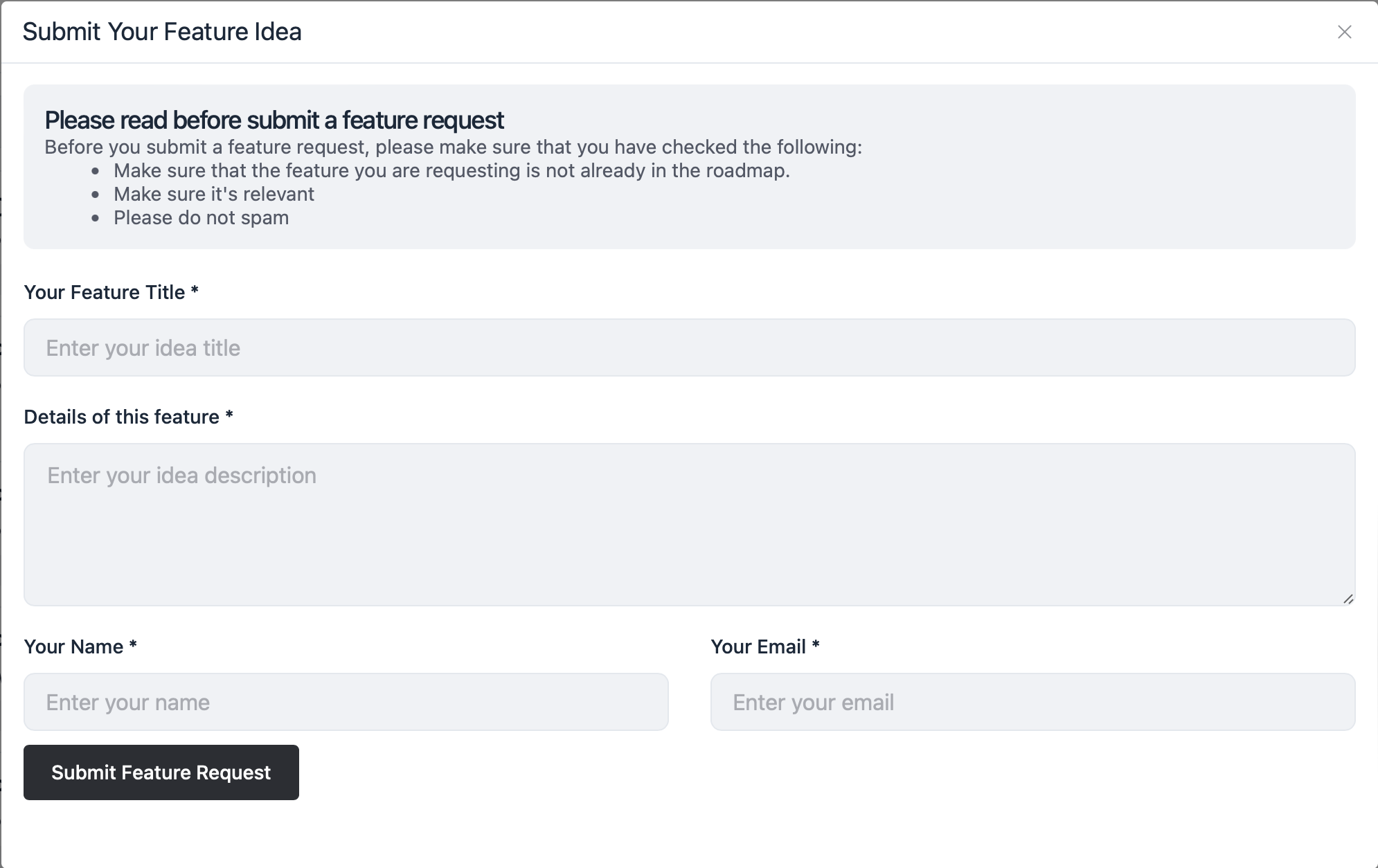
- Click the Submit New Feature button.
- Fill in the form:
- Your Feature Title: Provide a short, clear title for your idea.
- Details of This Feature: Describe your idea in detail. Explain why it would be valuable and how it would enhance the user experience.
- Your Name: Enter your name.
- Your Email: Provide your email address so we can follow up if needed.
- Click Submit Feature Request to send your idea to our team.
Things to Keep in Mind
- Check the roadmap to ensure the feature you’re requesting isn’t already listed.
- Make sure your idea is relevant to the platform’s goals and functionality.
- Please avoid submitting duplicate or spammy requests.
We Appreciate Your Contributions
Your suggestions help us improve and grow HumanDesign.ai. Thank you for sharing your ideas with us!